What Are Delta Scripts? A Beginner’s Guide to Easy Coding
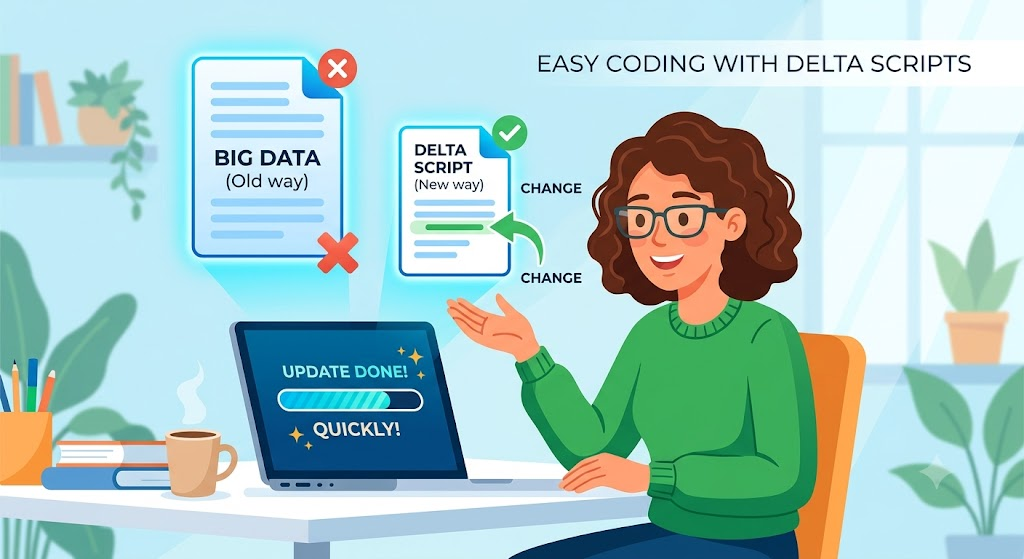
Have you ever worked on a big project and had to change just a tiny piece of it? Doing the same updates over and over takes a lot of time. This is where Delta Scripts come to the rescue. A delta script is a smart little tool that only looks at what has changed. Instead of running a whole giant file, it just updates the new parts. Think of it like editing a single sentence in a long story instead of writing the whole book again.
This makes your computer work much faster and saves you a huge amount of time. I remember when I first started coding; I used to update whole databases by hand. It was slow and frustrating! Once I learned how to use these smart change files, my work got so much easier. Let’s dive in and look at how these tools work and why you will love using them in your daily tasks.
What Exactly is a Delta Script?
At its core, a delta script is a set of instructions that records differences. The word “delta” simply means “change” in math and science. In the tech world, a delta script looks at an original file and compares it to a new file. It then creates a small list of only the things that are different.
When you share updates with a server or a database, you do not need to send the whole file. You just send this tiny change list. The system reads the delta script and applies the updates quickly. It is like sending your friend a quick text about what time to meet, rather than mailing them a printed schedule of your entire day. This keeps your data clean, light, and perfectly in sync.
How Do Change Scripts Save Time?
Time is our most valuable resource, especially when building websites or managing data. Traditional updates force computers to process massive amounts of information. This takes up a lot of power and can slow down your systems.
Change scripts fix this problem by being super efficient. Because they only focus on the modified data, the file size of your update shrinks down to almost nothing. Smaller files travel across the internet much faster.
In my own projects, switching to these smart scripts cut my update times from hours down to seconds. You do not have to sit around waiting for massive uploads to finish. Your programs run smoothly, and your users get the newest features without any annoying delays or lag.
Common Uses in Software Development
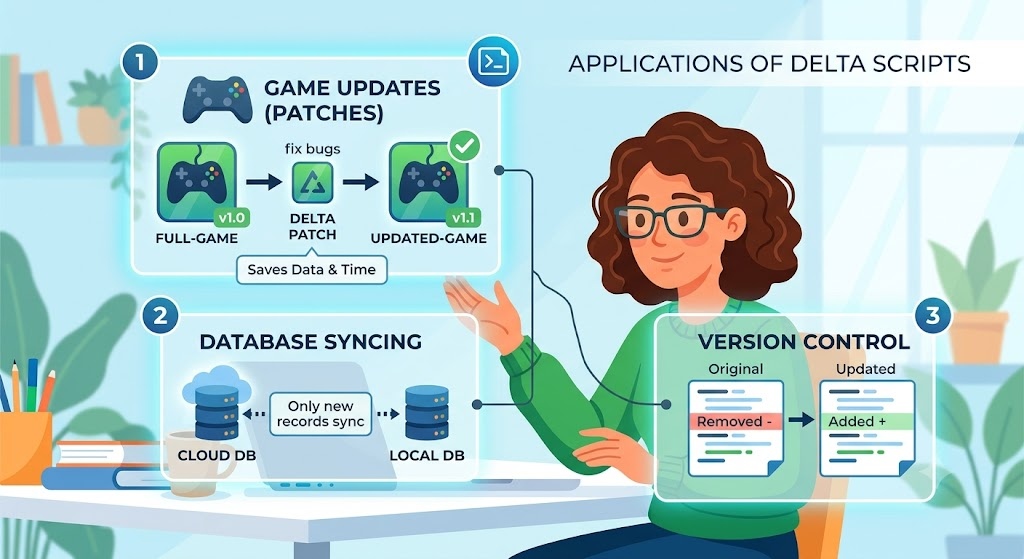
You might be wondering where people use these helpful little tools the most. They are very popular in software development, especially for managing updates and versions of code.
- Game updates: When a video game gets a patch, you do not download the whole game again. You just download a delta patch that fixes the specific bugs.
- Database syncing: Keeping local data matched up with cloud servers happens safely using change scripts.
- Version control: Tools use these exact methods to show you exactly what lines of code changed between two saves.
Seeing how often big tech companies rely on these scripts proves how powerful they really are for everyday digital work.
Making Your Own Change Files
Writing your first change file sounds tricky, but it is actually very simple once you get the hang of it. You do not need fancy or expensive software to get started. Most developers use basic text tools or built-in command line features.
The main trick is comparing your starting point with your ending point. You take your base code and your updated code, and you run a quick comparison command. The system generates the difference file for you automatically.
You just save this little text file with a standard format. From there, your system or website can read the file and make the exact updates needed. It feels like magic the first time you see it work right before your eyes!
Best Practices for Beginners
If you are new to using these update scripts, a few simple rules will help you avoid common mistakes. First, always keep a safe backup of your original files before applying any changes. Mistakes happen, and backups keep your data safe.
Second, keep your change scripts as short and simple as possible. If a script gets too complicated, it becomes hard for the system to read it quickly. Test your scripts on a small test project before using them on your main website or live database.
Finally, add simple notes inside your scripts to explain what changed. When you look back at your work months later, those little notes will save you a lot of confusion and extra effort.
Keeping Your Data Safe and Secure
Whenever we talk about updating files or databases, safety must be a top priority. You want to make sure your updates happen smoothly without breaking any important information.
Delta scripts actually help improve security because they let you track every single change clearly. If an update goes wrong, the change script makes it easy to see exactly where the error happened. You can quickly undo just that one small step instead of trying to fix a giant broken file.
Always double-check your change instructions before running them on important projects. Taking that extra five seconds keeps your data secure, your projects running, and your peace of mind completely intact.
Simple Tools to Help You Start
You do not need to build these scripts completely from scratch. There are many wonderful, free tools available today that will do the heavy lifting for you.
Many modern code editors include built-in features to compare two files and create patch files instantly. You can also use simple command-line tools that generate change lists with a single short command.
Finding the right tool makes the whole process fun and automatic. Pick a beginner-friendly tool, watch a quick tutorial, and practice on a basic text document. You will master the workflow in no time and wonder how you ever lived without it!
Avoiding Common Update Mistakes
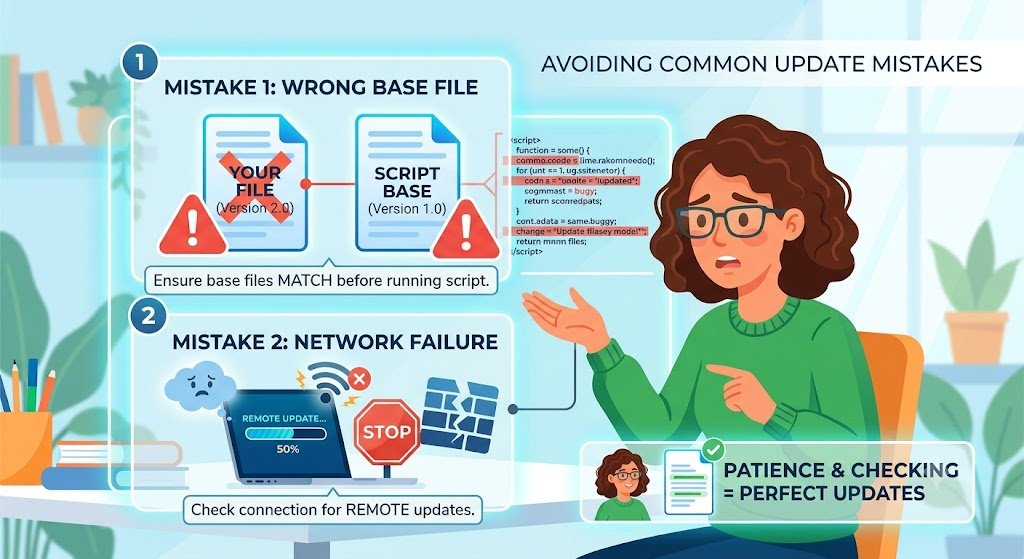
Even experts make mistakes when handling data syncs, but knowing what to watch out for helps a lot. One common mistake is running an update script on the wrong version of a file. Always make sure your base file matches the script’s starting point.
Another issue is forgetting to check network connections during remote updates. If your internet drops while a delta script is running, your data might end up halfway updated.
By taking your time and checking your work step by step, you easily avoid these traps. A little bit of patience leads to perfect updates every single time.
Real-World Success Stories
Hearing about how others succeed can give you a big confidence boost. A friend of mine runs a busy news website that updates content dozens of times a day. Their server used to crash because full page reloads took up too much memory.
By switching to dynamic delta scripts, they updated only the new article text. The website instantly became ten times faster, and the server crashes stopped completely.
Another team used these scripts to send quick app updates to phones. Their users loved it because the downloads were tiny and took up almost no phone storage. These real examples show how change tools solve real problems.
Future Trends in Smart Coding
The tech world moves fast, and update methods keep getting smarter every single day. Future tools will use advanced features to write change scripts automatically with zero human effort.
We will see even faster sync speeds and smarter cloud backups. Learning how delta scripts work today gives you a fantastic head start on the future of coding.
As technology grows, keeping your work clean, light, and efficient remains incredibly important. Embracing these smart habits now ensures you stay ahead of the curve and build amazing digital projects.
Frequently Asked Questions
What is the easiest way to create a delta script?
The easiest way is to use a modern code editor with a built-in compare tool. You can compare two files and save the differences automatically.
Do delta scripts work on pictures and videos?
They work best on text and code files. For large media files, specialized compression tools are usually a better choice to save space.
Can beginners learn to use these scripts quickly?
Yes! Anyone who knows basic computer skills can learn to generate and run these simple change files in just a few hours.
Will a delta script break my website?
Not if you test it carefully first. Always back up your main files so you can easily restore them if anything goes wrong.
How do change scripts help with slow internet?
They only send tiny bits of changed data instead of massive files, so updates download and finish incredibly fast.
Where can I practice using these tools for free?
You can practice on simple text files using free, beginner-friendly code programs right on your home computer.
Conclusion
Delta scripts are amazing tools that make updating your projects faster, safer, and much easier. By focusing only on what has changed, you save time, reduce errors, and keep your systems running perfectly.
Now is the perfect time to try it out for yourself! Open up a simple text editor, try comparing two files, and create your very own change script. You will love how much time you save.
Do you have a coding project that needs faster updates? Leave a comment below or share this article with a friend who loves tech. Let’s make coding easier together!